What is this about
This is a quick update on my previous post where I finally gave in and started using AI coding agents in my daily work and for my personal musings as well. It’s been about 2 months now and honestly it still feels a bit weird yet somehow interesting.
A New DX Emerges
I mentioned in my last post that there are two main ways of interacting with these agents. These choices are the Side panel chat via an extension in your preferred IDE and the standalone agents that live in a terminal. There is a third way that has popped up recently and is gaining a lot of traction namely the “Agent Manager view”. OpenCode offers this in their Desktop / Web version. Codex launched a dedicated Desktop App that does this and even Cursor introduced a brand new UI called Cursor Glass that is specifically built from the ground up around agents ditching its VS code origins.
The Agent Manager view basically gives you the ability to handle multiple instances of the coding agent in parallel. The UI kind of looks like WhatsApp of all things with a left side panel that lists your threads and the chat window moving from a side panel to be the main focus. An additional diff view may be present on the right which shows you a diff of all the changes the agent has made since the last commit. You essentially delegate different tasks to each instance of the coding agent and just sit back and “supervise” all of the agents as they work simultaneously. Underneath the fancy UI, this view uses a functionality of git called worktrees. This allows git to checkout multiple branches of the same code-base in completely isolated directories on disk thereby ensuring the agents do not interfere with each other and cause a mess.
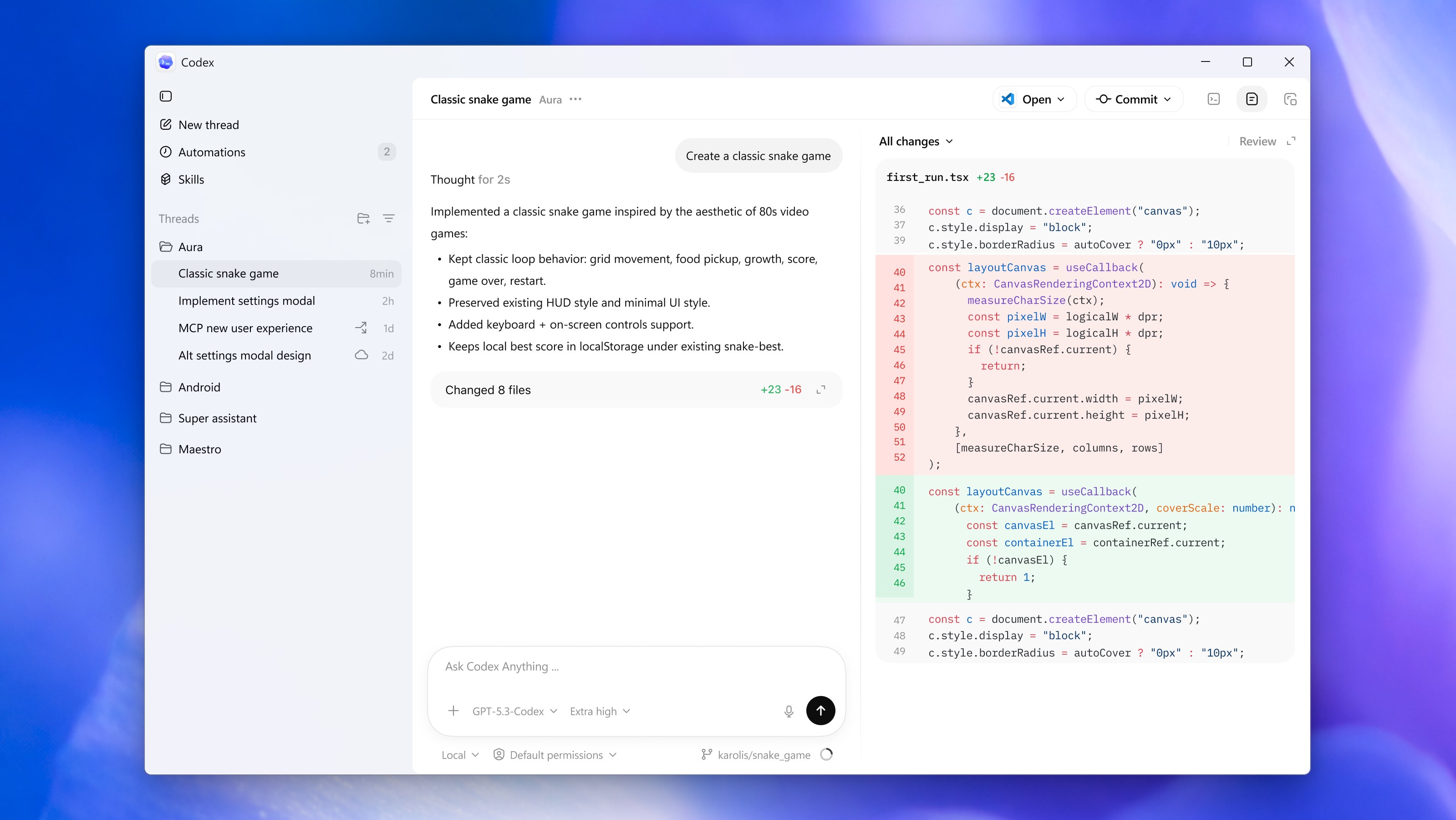
I am still on the fence about this whole multi-agent coding setup. Currently the way I use these tools is that I divide my work into two tasks. One task I do myself (with some autocomplete assistance) in a conventional IDE. The second task I delegate to OpenCode running in a separate terminal. Maybe a few months down the line I will also have 5 different agents working simultaneously on large code changes while I sit back and sip my coffee.
Ditching Claude Code in favor of OpenCode
While my experience with Claude code was decent, a lot of the benefits of the Claude ecosystem don’t really apply when you try using it with the API billing instead of a Claude code subscription plan. For instance the remote feature which allows you to continue a claude code session on your phone doesn’t work with API billing.
We have also seen a bunch of crackdowns by Anthropic on users who have tried to use their tools outside the golden paths prescribed by Anthropic. Using Claude code also automatically rules out some of the frontier models such as GPT 5.3 Codex or Gemini 3.1 as well as model providers that are not compatible with the Anthropic API spec. There is nothing stopping Anthropic from blocking say the Kimi API at the harness level in the future and this kind of Vendor lock-in is not something I am comfortable with.
OpenCode on the other hand is the complete opposite of Claude code in terms of philosophy
- It is open source so it is well audited for security and telemetry logging.
- It supports 30+ providers including OpenCode Zen, OpenRouter, Github Copilot, Codex Plans etc thereby avoiding vendor lock-in and allowing seamless switching between LLM providers without having to re-learn the workflow.
- The tool is built with taste unlike Claude Code which is vibe coded to a large extent (Based on interviews given by Dax Raad and Boris Cherny respectively)
- Due to its extensive support for third party providers, its one of the few tools I can use at work as well as at home for my personal adventures.
Graphify
This is possibly the coolest tool I have discovered in the last two months. Let’s start from the basics. Whenever you give a coding agent a particular task e.g. implement a new enhancement inside an already existing functionality, the agent uses a combination of ls and grep tools to navigate across your code base. While this works fairly well, it’s prone to missing references due to a lack of deep understanding of how different modules relate to each other. Graphify solves this by building a localized knowledge graph that captures linkages and function calls.
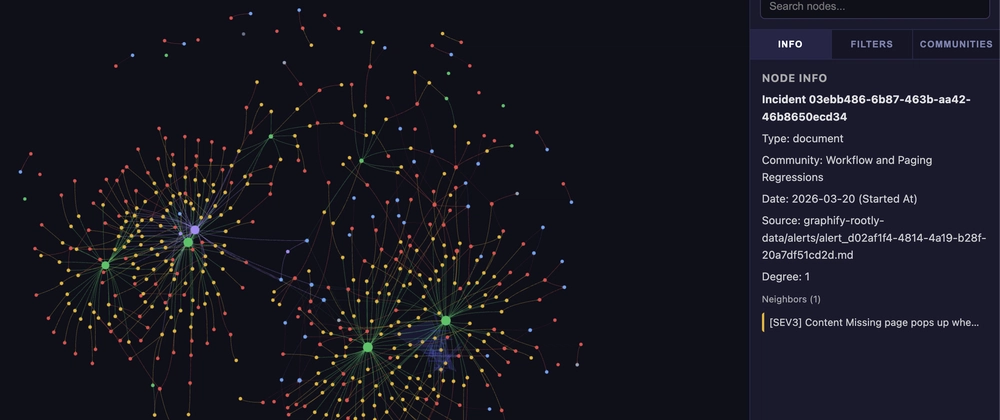
This process is done using the library itself carrying out an AST pass and not by leveraging an LLM i.e. No additional token cost for creating the graph itself. The graph is stored in the form of a JSON object to be used by agents and a single HTML page that can be used by us humans to visualize the graph. The library also bundles an Agent skill that you can use to trigger the graph creation or to query the JSON graph to figure out code change impact. You can also wire up hooks in your AI coding harness to trigger a graph update operation on each commit or pull.
All Roads Lead back to TDD
An interesting outcome of code generation being taken out of our hands is that our inherent laziness in implementing time taking practices such as Test Driven Development can be overcome. If the writing code aspect of software engineering is being delegated to someone else then we no longer care for the friction that is present in adopting TDD. There are a few different ways to do this with AGENTS.md or plugins of Agent skills which help enforce TDD but in my personal experience this skill from Matt Pocock works quite well in OpenCode -
npx skills@latest add mattpocock/skills